In short: Look for the email "your month, doodled" at the start of the month. Press the link to open the page. Download it with "png" or "pptx".
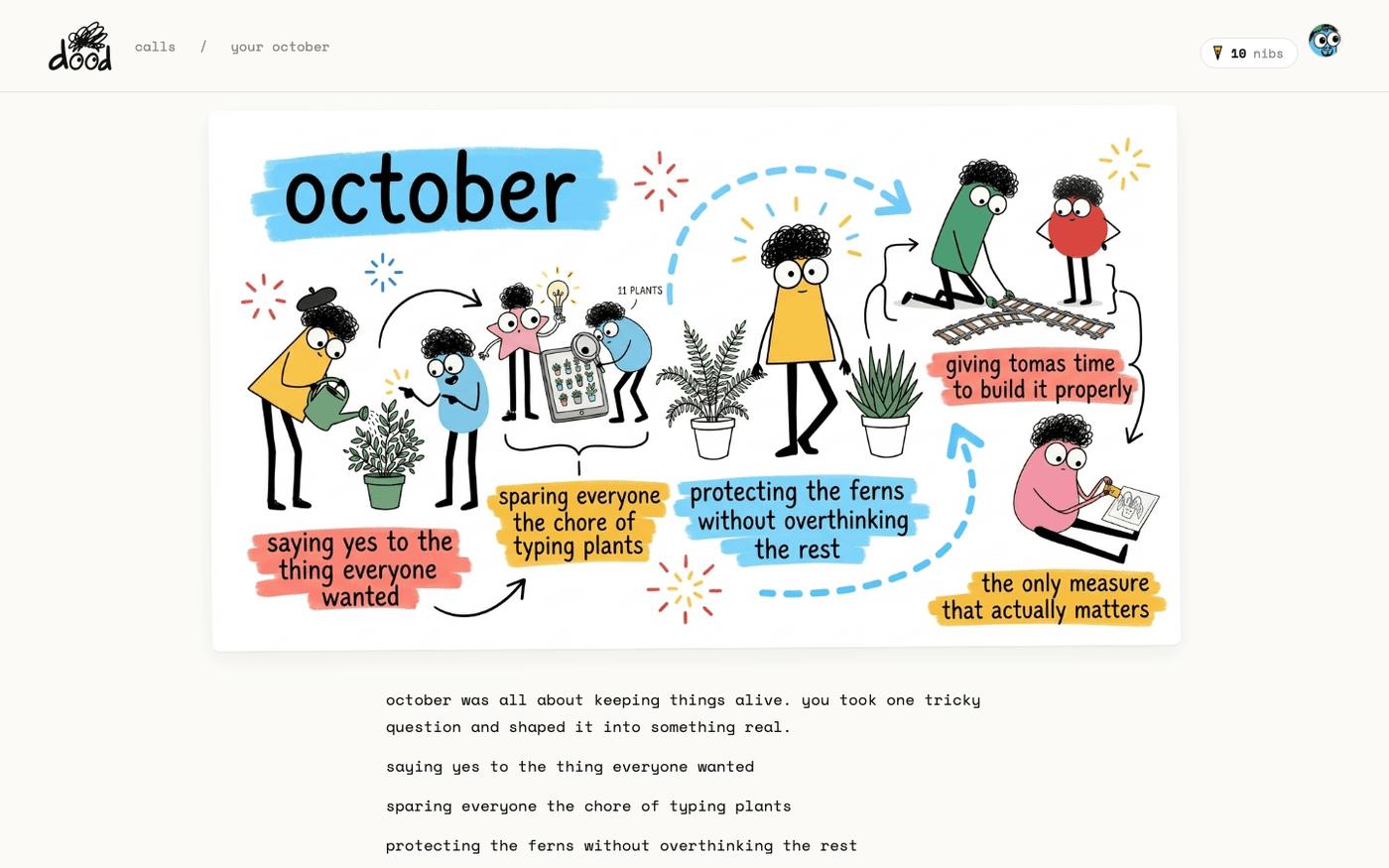
The monthly letter is a look back, not a report. It says how many meetings dood sat in, how long they ran, and what stood out, with one mural of the doodles he picked out of all of them. It comes on every plan, free included.
The email
The subject is "your month, doodled". It carries the mural and the letter, signed "- dood", with a link to the page. The first one, on a new account, is headed "your first days".
The page
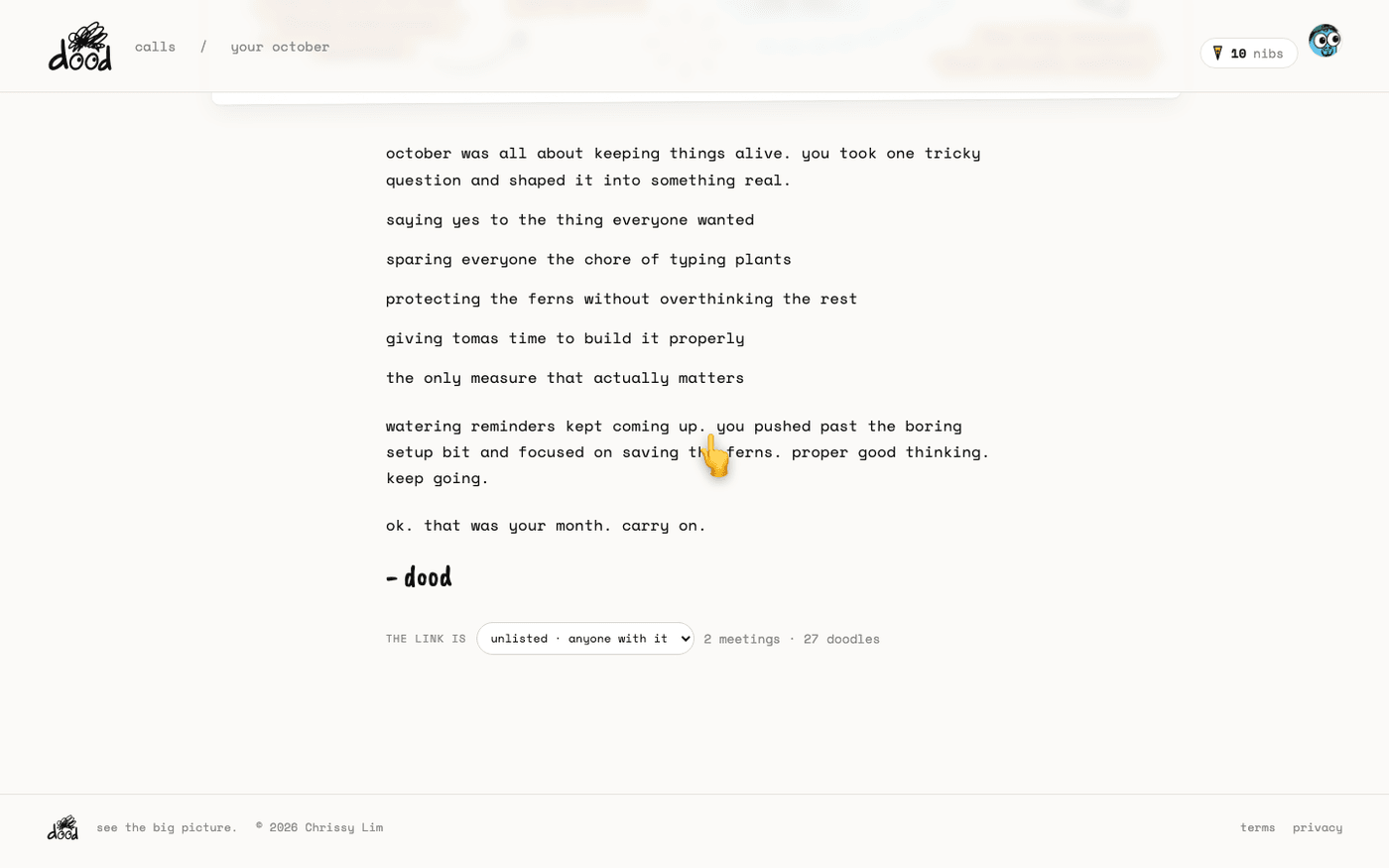
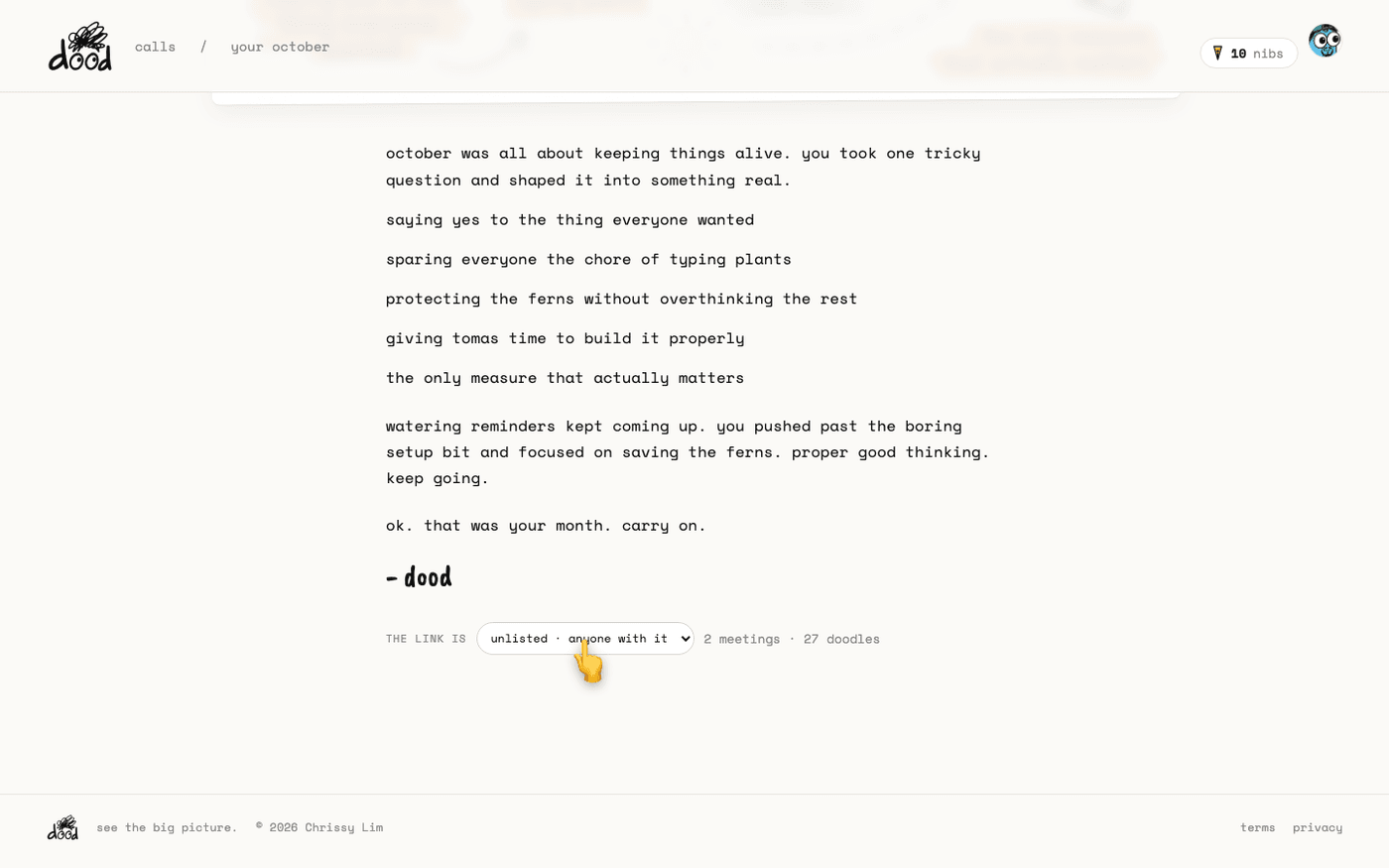
The page shows the mural at the top and the letter under it: an opening line, one line for each moment he picked, a thread that runs through them, and a closing line.
- "png" downloads the mural.
- "pptx" downloads a deck with one slide per moment and the mural as the cover.
Who can see it
Under the letter, "the link is" offers three settings:
- "unlisted · anyone with it". This is the default.
- "public".
- "off · just you".
The line next to it counts the month's meetings and doodles. Someone who opens a shared month sees the mural and the letter with a "get your own dood" button.
Stop the letter
Every monthly email has an unsubscribe link at the bottom, for the monthly letter only. Press it and dood says "ok. no monthly" and "meeting emails carry on."
A month is never "messy" to dood. A hard one is "a lot", and you got through it. The letter is written to be on your side.
Last verified 13 October 2026