Your first meeting with dood
From pasting a link to sharing the recap, in the order it happens.
6 walkthroughsabout 19 min end to endEnds with: A recap mural, shared
- 1
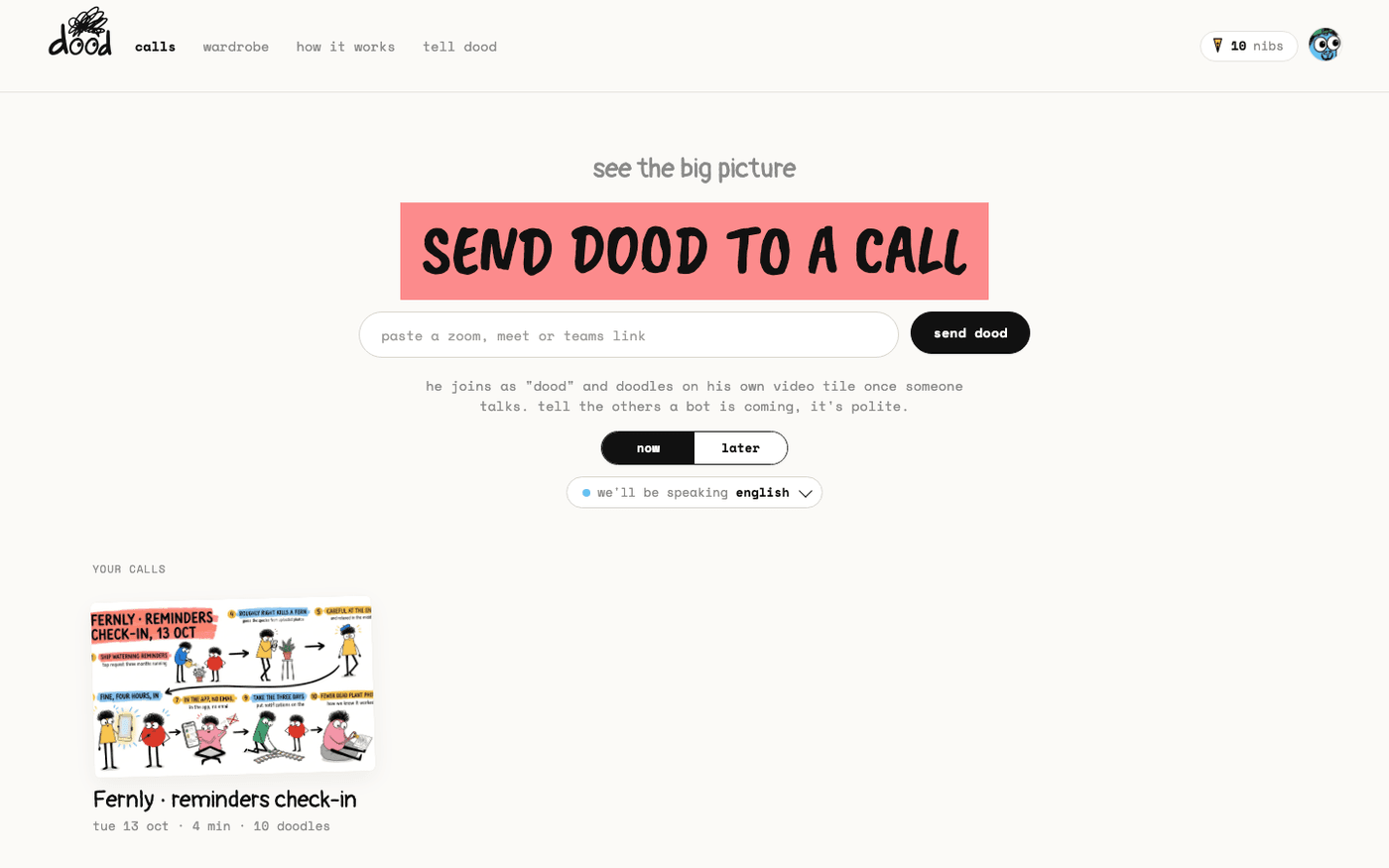 Send dood to a callPaste a Zoom, Google Meet or Microsoft Teams link and dood joins the call now, or at a time you pick.
 - 2
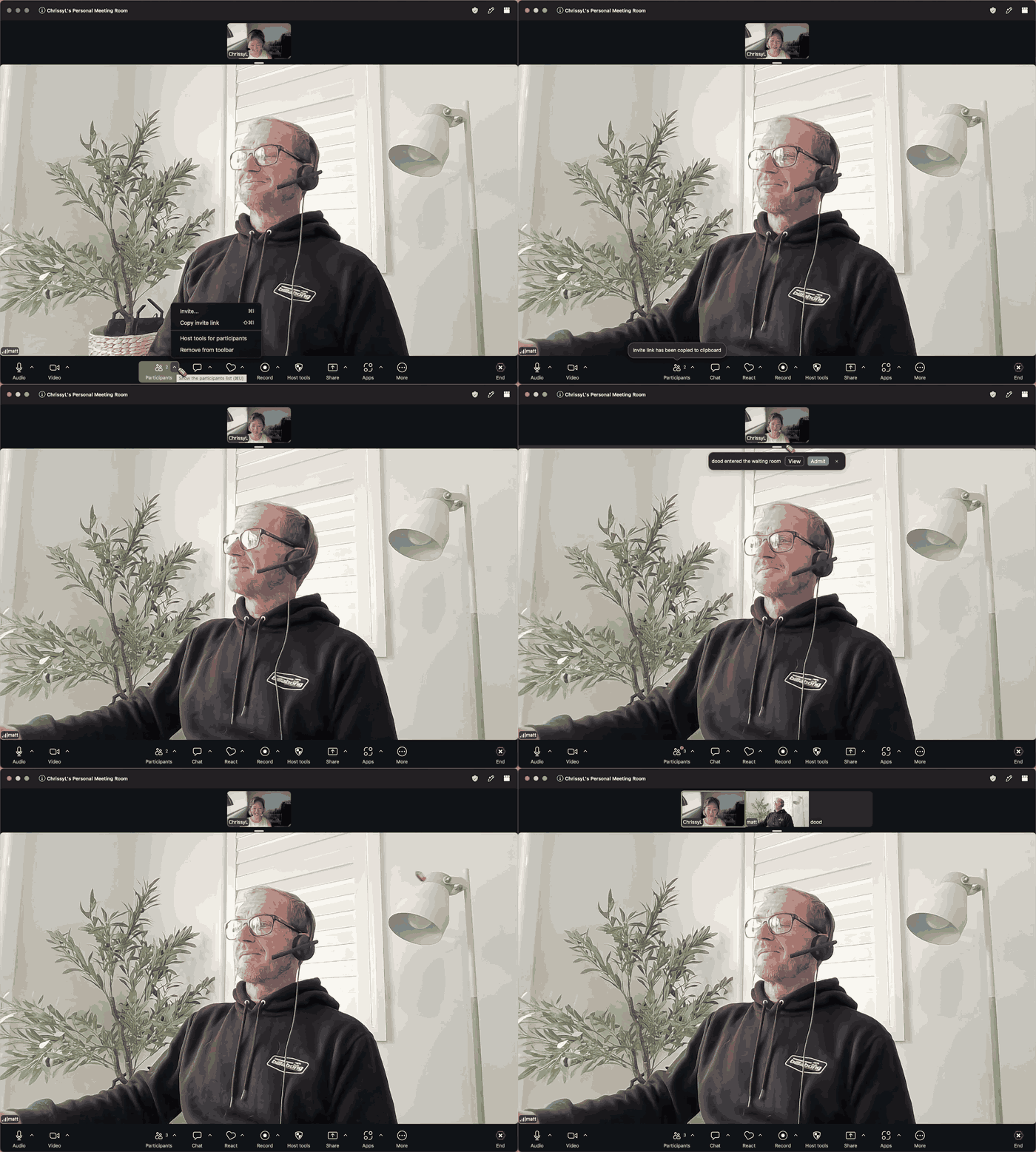 Let dood into Zoom, Google Meet and Microsoft Teamsdood joins as a guest and knocks. Admit him once and he is in for the whole call.
 - 3
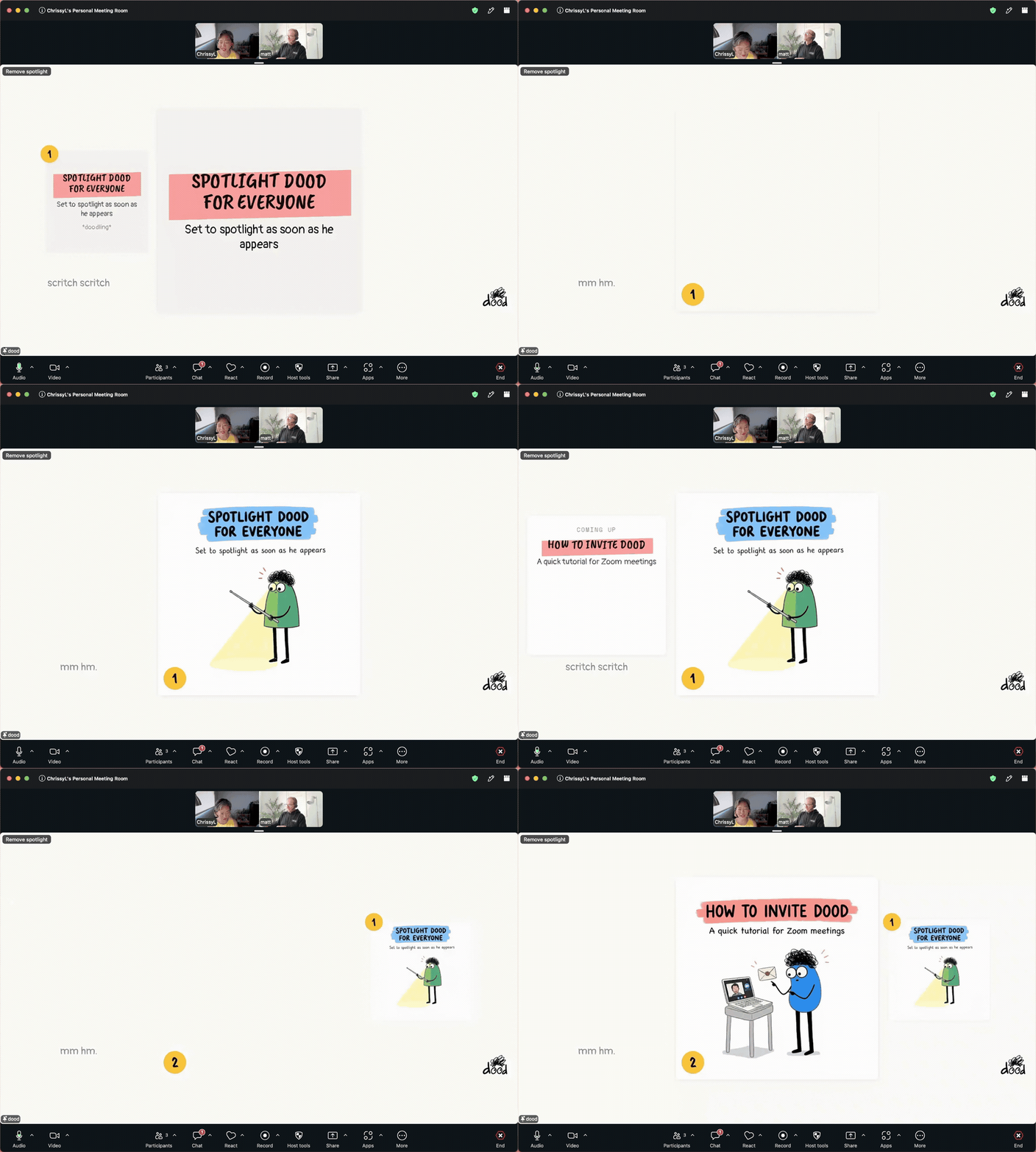 Put the doodles on everyone's screenSpotlight dood's tile and the whole meeting watches each doodle arrive.
 - 4
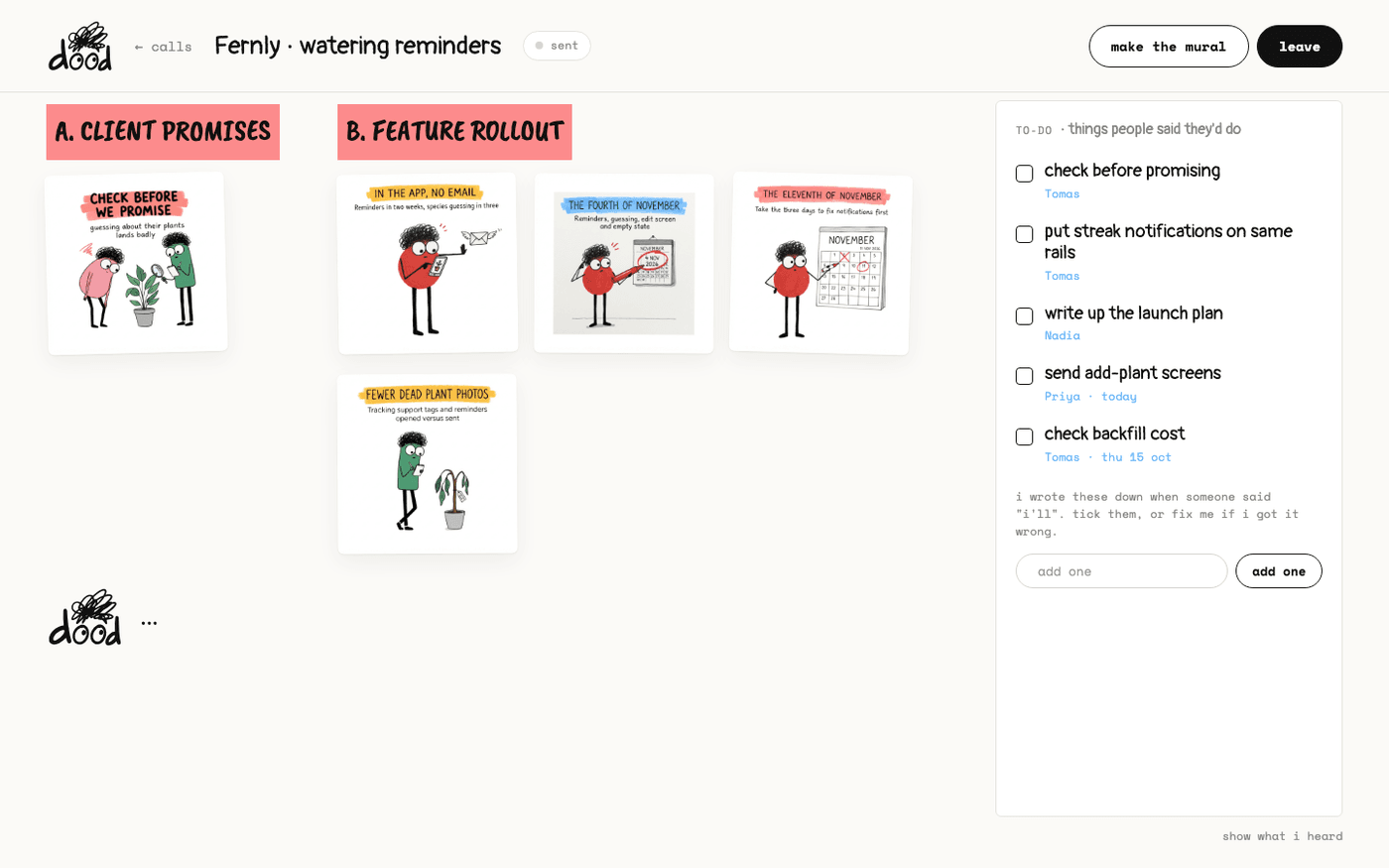 Watch the doodles landThe call page shows every doodle as it arrives, grouped by topic, with the to-do list dood is writing and the words he heard.
 - 5
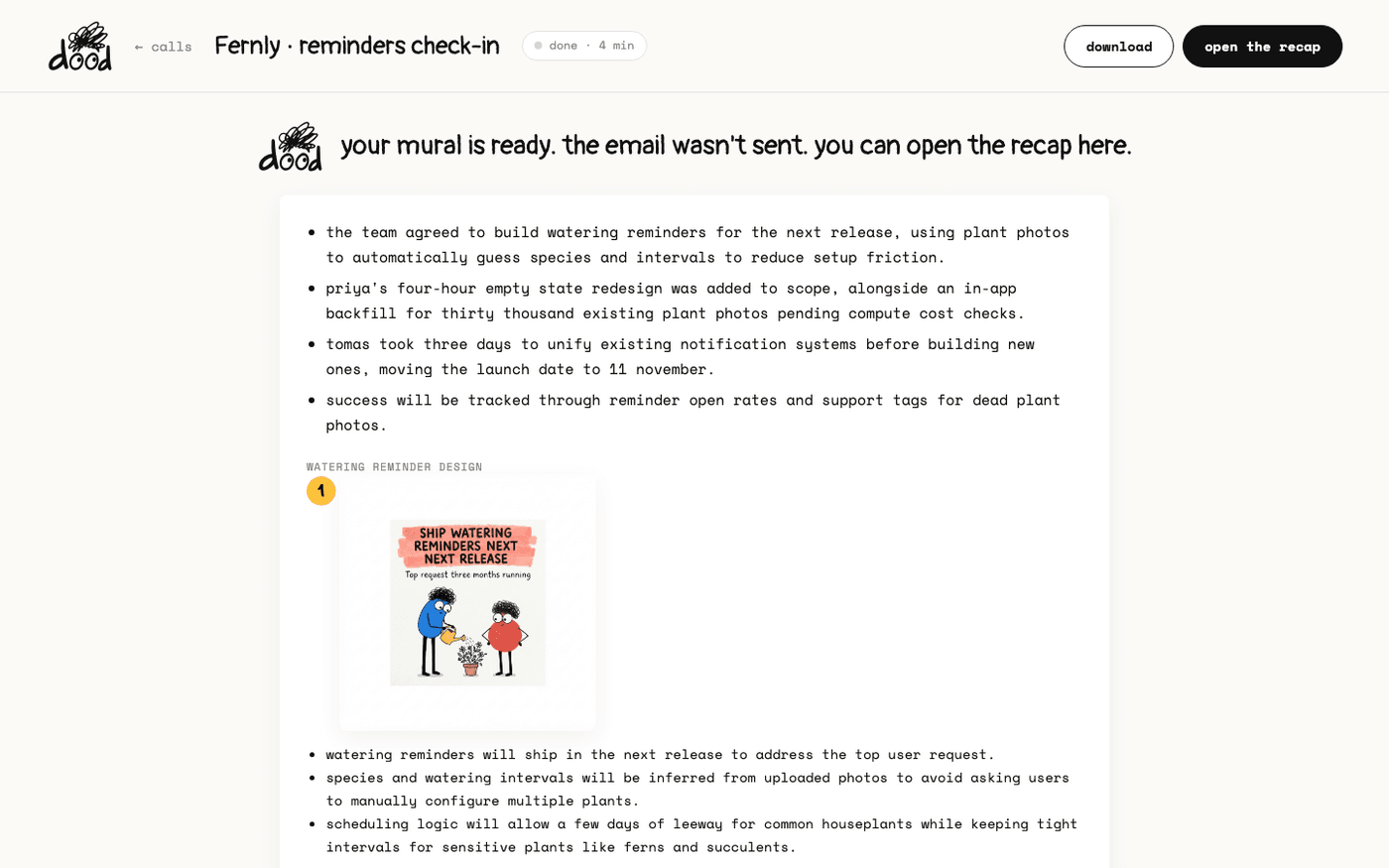 Open the recapWhen the call ends, dood emails everyone on it, and the recap page keeps the mural, every doodle, the to-dos and the transcript.
 - 6
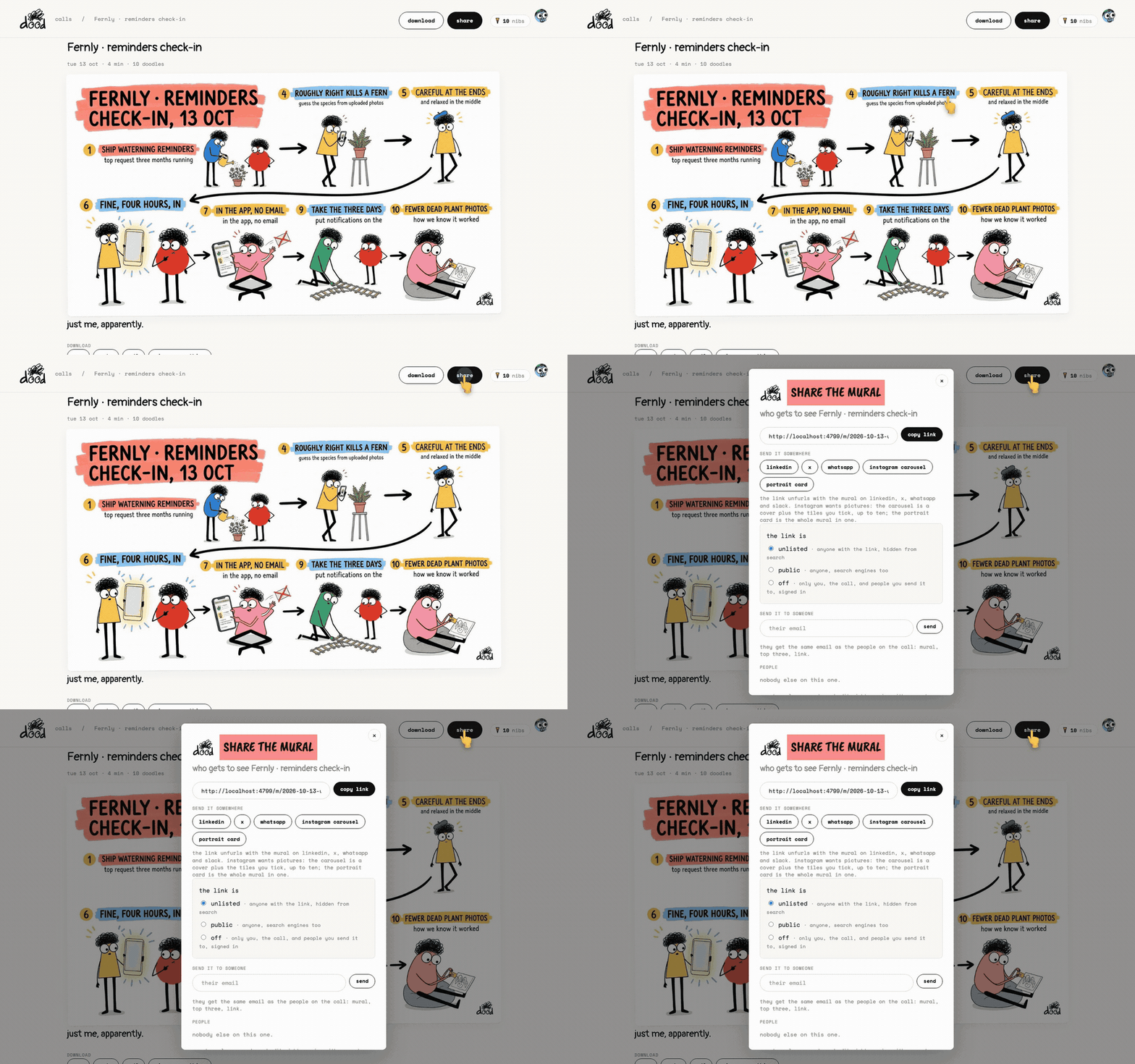 Share a meetingSend the recap to anyone with a link, post it, email it on, or keep it to yourself. The transcript always stays with you.
Other flows
Different destination, same idea.